AliExpress Size Charts: How to Read Them and Save Them With the Description Images
Also available in: Português · Español · Français
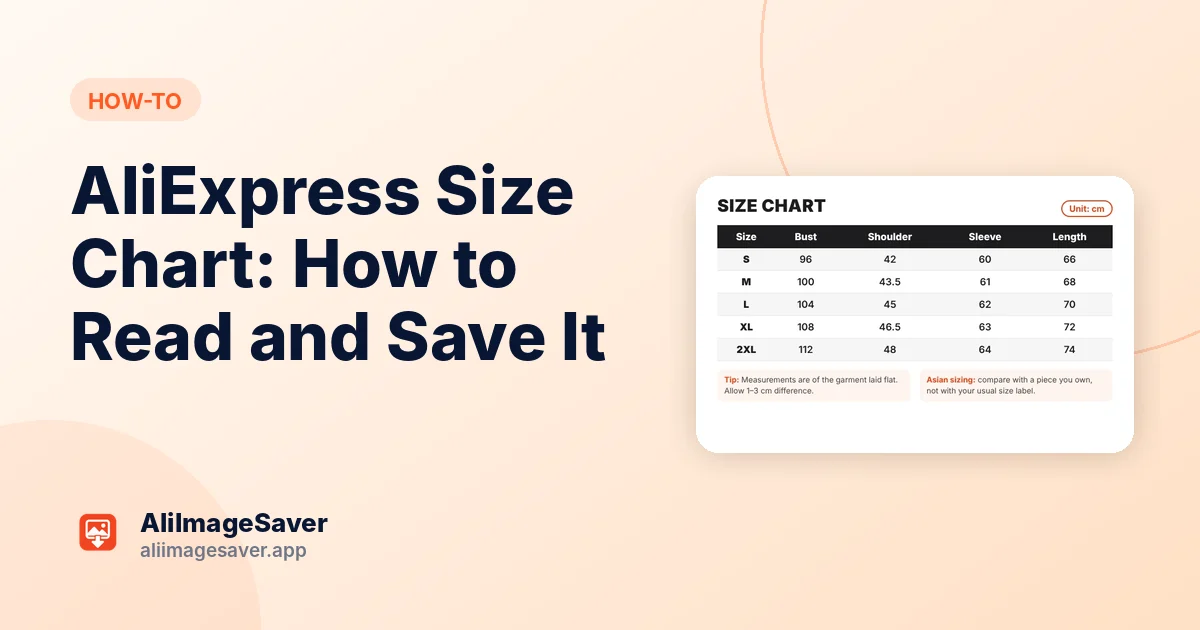
On most AliExpress listings the size chart isn't text you can copy. It's a picture somewhere in the product description, usually in centimeters and often based on Asian sizing. That's why so many orders arrive a size too small.
This guide shows where to find the AliExpress size chart, how to read it, how to pick the right size, and how to save size charts and the other description images in one click if you sell the product in your own store.
Where to find the AliExpress size chart
- Next to the size options. Some clothing and shoe listings show a size guide link near the size buttons. If it's there, start with it.
- In the description. Scroll down to the product description. Most sellers put the size chart there as an image, between detail photos and material notes. The description only loads when you scroll to it, so give the page a moment.
- Ask the seller. No chart anywhere? Message the seller before you order and ask for the measurements of the size you want, in centimeters.
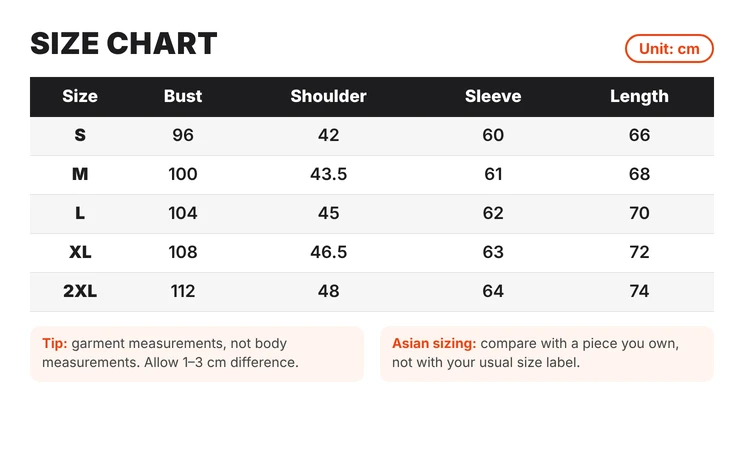
How to read an AliExpress size chart
Size charts on AliExpress almost always measure the garment, not your body. Read them like this:
- Check the unit. Most charts are in centimeters. To convert to inches, divide by 2.54.
- Check whether it's measured flat. If the bust or waist number looks about half of what you'd expect (for example 50 cm for a men's jacket), the garment was measured laid flat. Double it to get the full circumference.
- Ignore the size letters. An AliExpress "XL" is often closer to a Western M or L. The numbers matter, the letters don't.
- Allow a small difference. Many sellers note 1–3 cm of tolerance, because each piece is measured by hand.
| Centimeters | Inches |
|---|---|
| 60 cm | 23.6 in |
| 70 cm | 27.6 in |
| 80 cm | 31.5 in |
| 90 cm | 35.4 in |
| 100 cm | 39.4 in |
| 110 cm | 43.3 in |
| 120 cm | 47.2 in |
How to pick the right size on AliExpress
- Take a similar piece of clothing that fits you well and lay it flat.
- Measure the same points the chart uses: chest from armpit to armpit, length from the shoulder to the hem, sleeve from the shoulder seam to the cuff.
- Compare your numbers with the chart, not your usual size label, and pick the row that matches or is slightly larger.
- Read the reviews. Buyers often mention their height, weight and the size they ordered, which tells you whether the item runs small.
If the chart has Chinese text, open the image in Google Lens: it can translate the text and copy the numbers for you.
How to save AliExpress size charts and description images
To keep a single chart, right-click it in the description and choose Save image as…. If you sell the product, you usually need more than that: the size chart, the detail photos and the material close-ups from the same description.
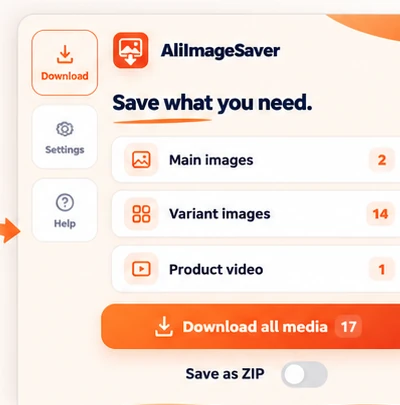
AliImageSaver saves them together. Open the product page, scroll through the description once so it loads, click the extension icon and choose Description images. Everything from the description is saved in one go, as a ZIP if you like. To save all the product media at once, see our guide on downloading all AliExpress images.
Tips for sellers: put the size chart in your store
- Turn the image into a table. A chart that's only an image is hard to read on a phone, and search engines and screen readers can't read the numbers in it. Retype it as a table in your product description. Most store editors let you insert one.
- Add inches. If you sell to the US or UK, show inches next to centimeters.
- Say how it fits. One line like "runs small, we recommend one size up" prevents a lot of returns.
- Get permission for the images. Size charts and photos belong to the supplier. See using AliExpress images for dropshipping.
Frequently asked questions
Where is the size chart on AliExpress?
Some listings show a size guide link next to the size options. On most others the size chart is an image in the product description, so scroll down to the description and look between the detail photos.
Are AliExpress sizes smaller?
Often, yes. Many items use Asian sizing, which can run one or two sizes smaller than US or EU sizes. Compare the measurements in centimeters instead of the size letters.
How do I convert an AliExpress size chart from cm to inches?
Divide each number by 2.54. For example, 100 cm is about 39.4 inches.
How do I download the size chart from AliExpress?
Right-click the chart in the description and choose Save image as. To save all description images at once, open the product page, scroll through the description, click AliImageSaver and choose Description images.