How to Save AliExpress Variant Images for Every Color and Style
Also available in: Português · Español · Français
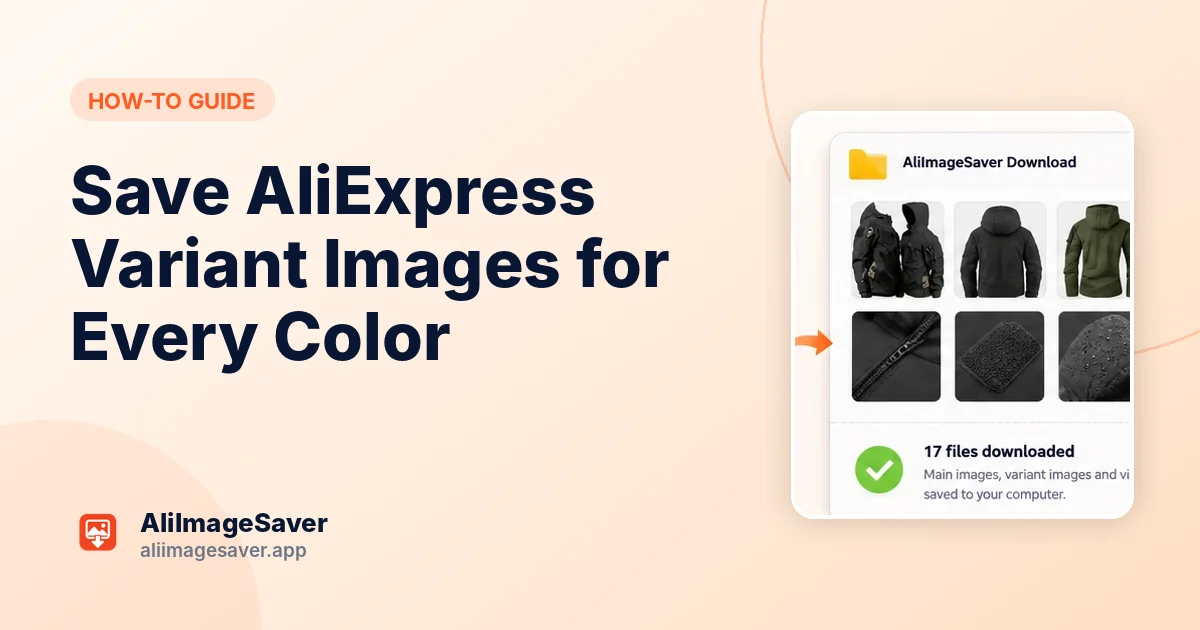
Click through the color options on an AliExpress product and the main photo changes every time. Those are variant images, and if you sell the product in more than one color, they're the photos your customers need to see.
Saving them is surprisingly tedious, because each one is tied to an option you have to select first. Here's the quick way to save all AliExpress variant images at once and keep them organized.
What are AliExpress variant images?
Sellers can attach a picture to each value of an option such as Color, Pattern or Style. On the product page they appear as small thumbnails near the size selector; selecting one swaps the large gallery image. A jacket offered in eight colors can easily carry eight to fifteen variant photos.
Options like size or quantity usually don't have their own images. It's mostly colors and styles.

The manual way (and why it's slow)
- Select the first color option.
- Right-click the large image, open it in a new tab and save it.
- Rename the file so you know which color it is.
- Repeat for every option.
With fourteen variants that's fourteen rounds of clicking, saving and renaming, and it's easy to save the same photo twice or skip one.
Save all variant images at once with AliImageSaver
- Open the AliExpress product page and click the AliImageSaver icon.
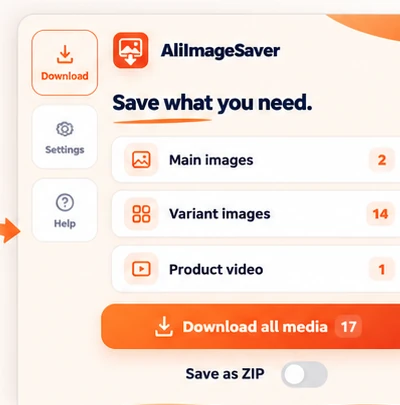
- Look for Variant images. The panel shows how many it found.
- Download that group on its own, or use Download all media to get the gallery and description images too.
- Switch on Save as ZIP to get one tidy archive per product.
Don't have the extension yet? Add AliImageSaver to Chrome. It's free.
Match variant images to your store
Most store platforms let you link an image to each variant, so the right photo appears when a shopper picks a color. In Shopify, you upload the photos to the product and then assign one to each variant.
- Rename files by option value, for example
hooded-jacket-army-green.jpg, before uploading. It makes assigning images much faster. - Use the same color names everywhere. If the supplier calls a color "Army Green", decide whether you'll call it that too, and keep it consistent across images, variants and ads.
- Check for duplicates. Some sellers reuse one photo for several options. Make sure each variant shows the product it actually represents.
- Watch the resolution. Variant pictures are sometimes smaller than gallery shots. If one is too small for your store, ask the supplier for a larger file.
Planning to use these photos in a store? Read how to use AliExpress images for dropshipping first.
Frequently asked questions
Why don't I see variant images for some products?
Not every seller attaches photos to their options. If the options are text only, such as sizes, there are no variant images to download.
Can I download variant images without the other photos?
Yes. In AliImageSaver you can download the Variant images group on its own.
How do I know which image belongs to which color?
Compare your downloaded files with the option thumbnails on the product page, then rename each file with its color name before uploading it to your store.